
Make the temperature difference clear.
Calculate superheat and subcooling from your pressure and measured line temperature. Confirm the refrigerant, mode, and units before interpreting the result.

Get superheat and subcooling from your gauge and line readings, with a built-in refrigerant P-T reference, saved jobs and PDF reports. Made for HVAC technicians on iPhone.
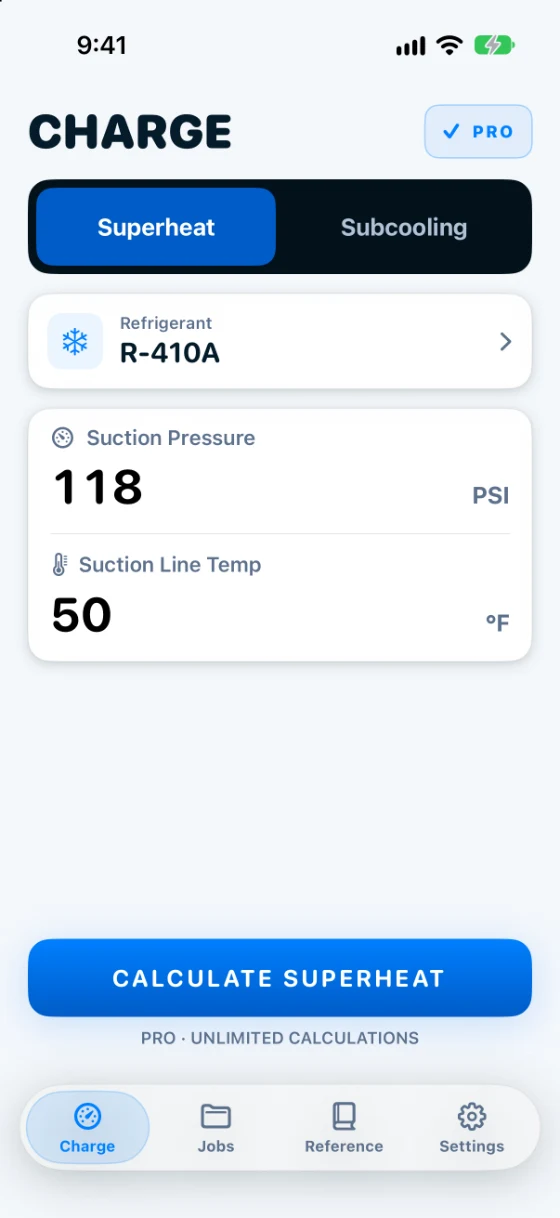
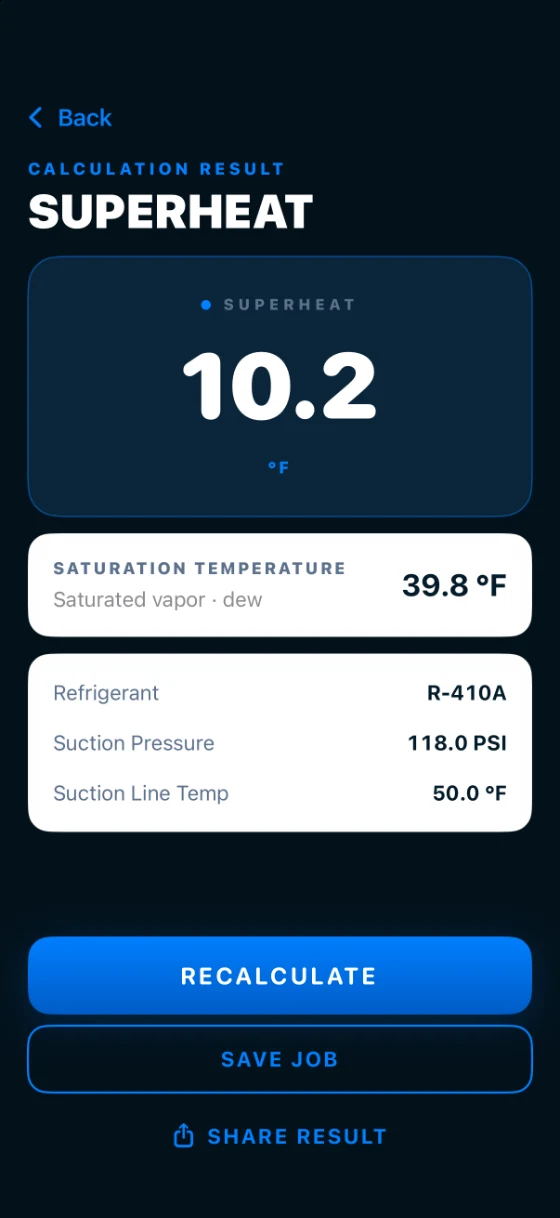
See the real app
Six screens from HVAC Charge Pro, from the first reading to the finished report. Use the arrows or swipe.
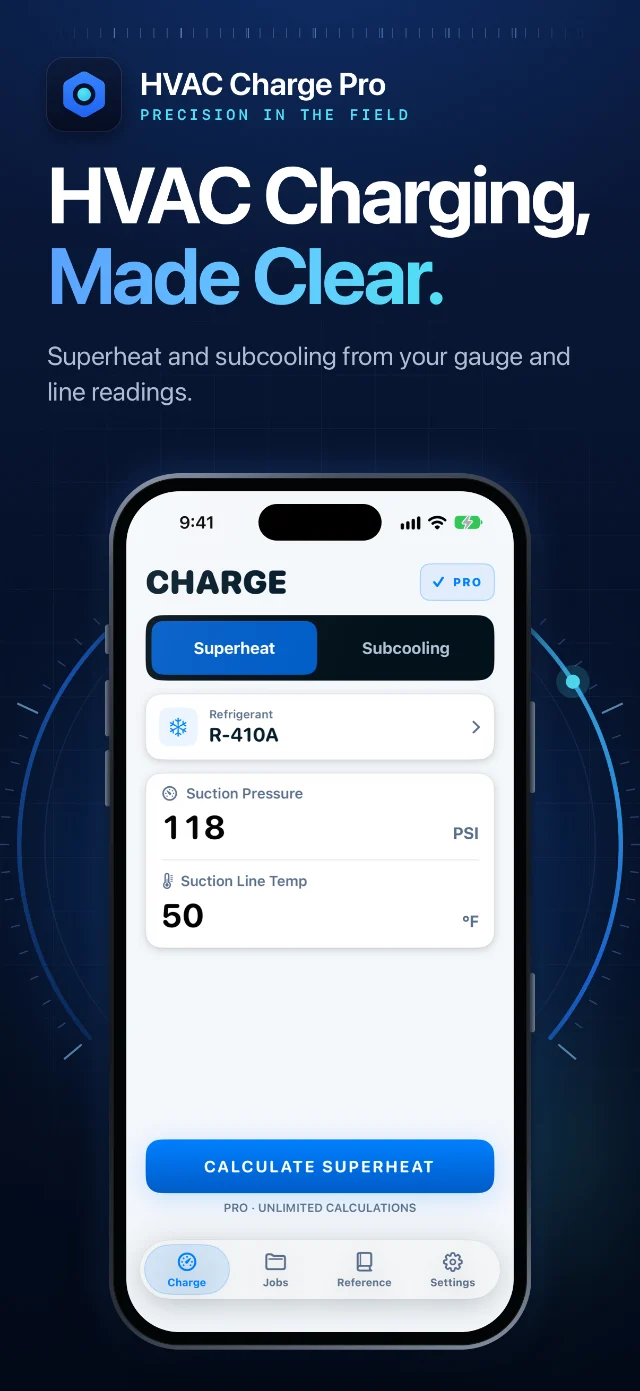
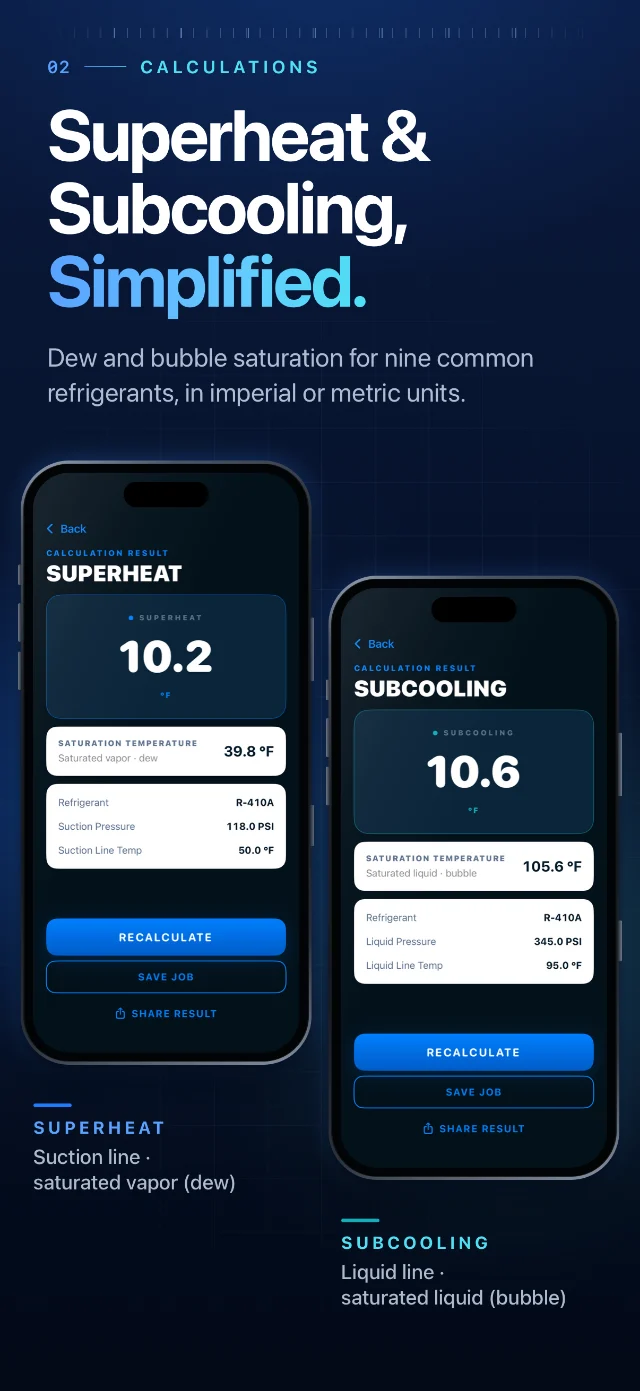
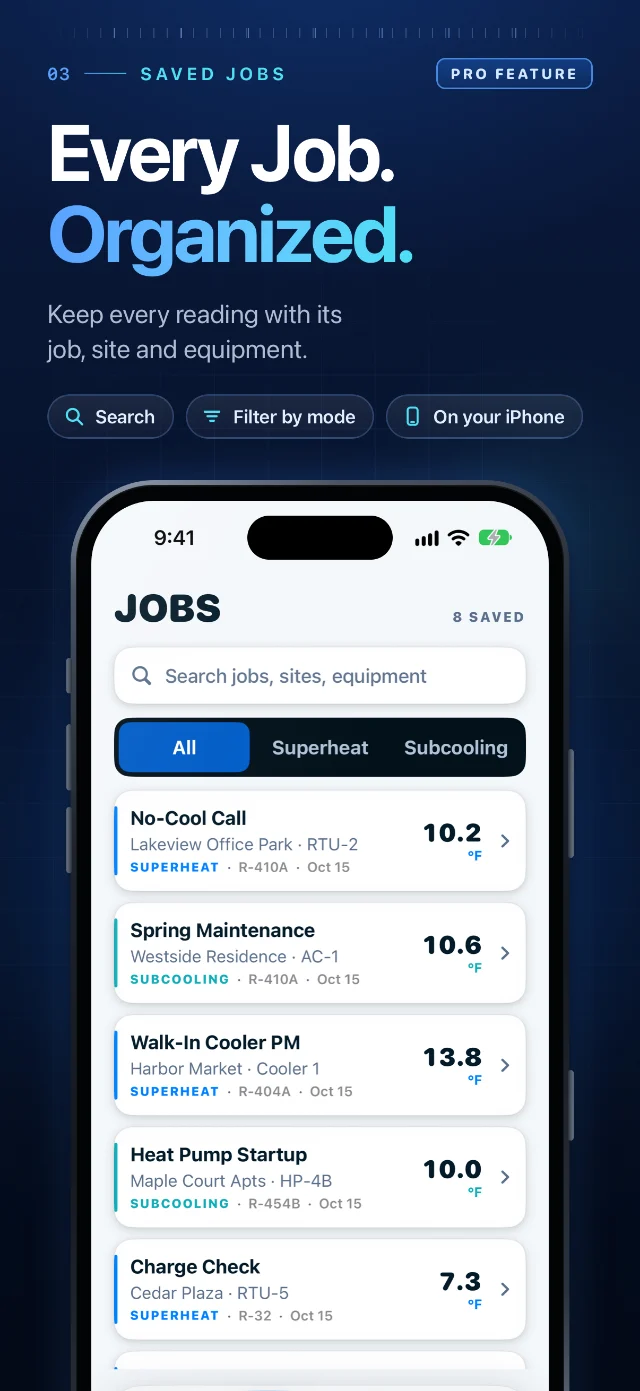
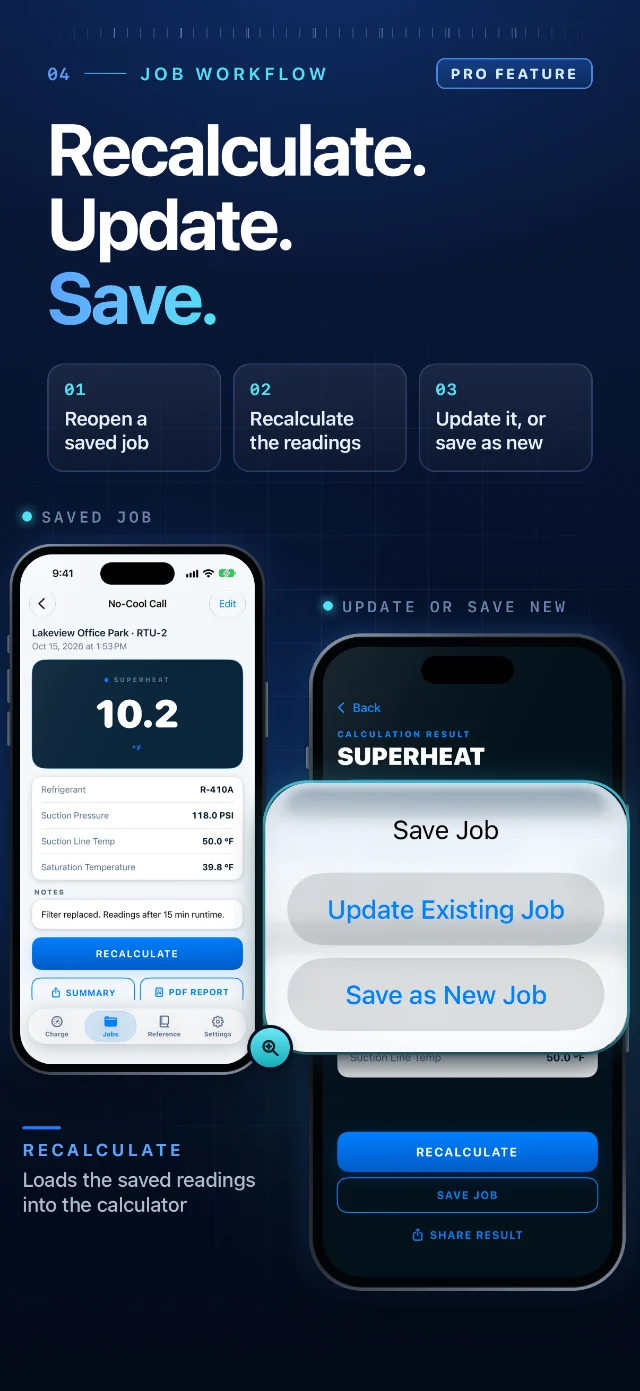
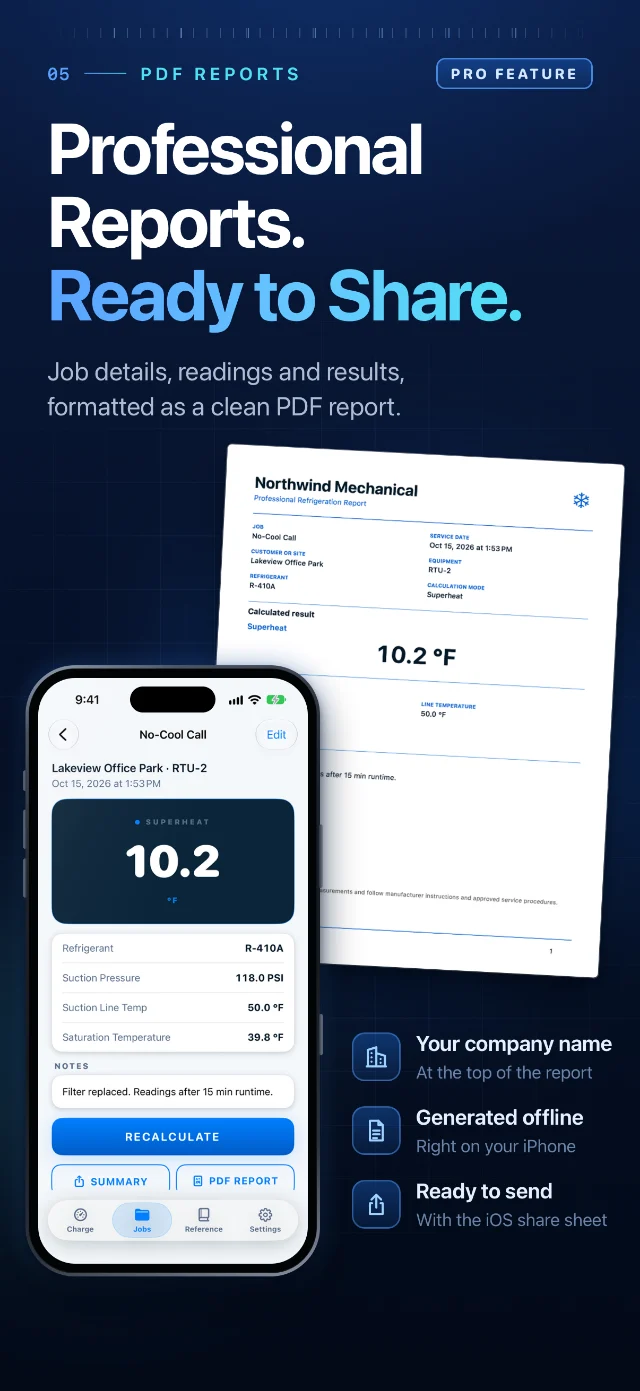
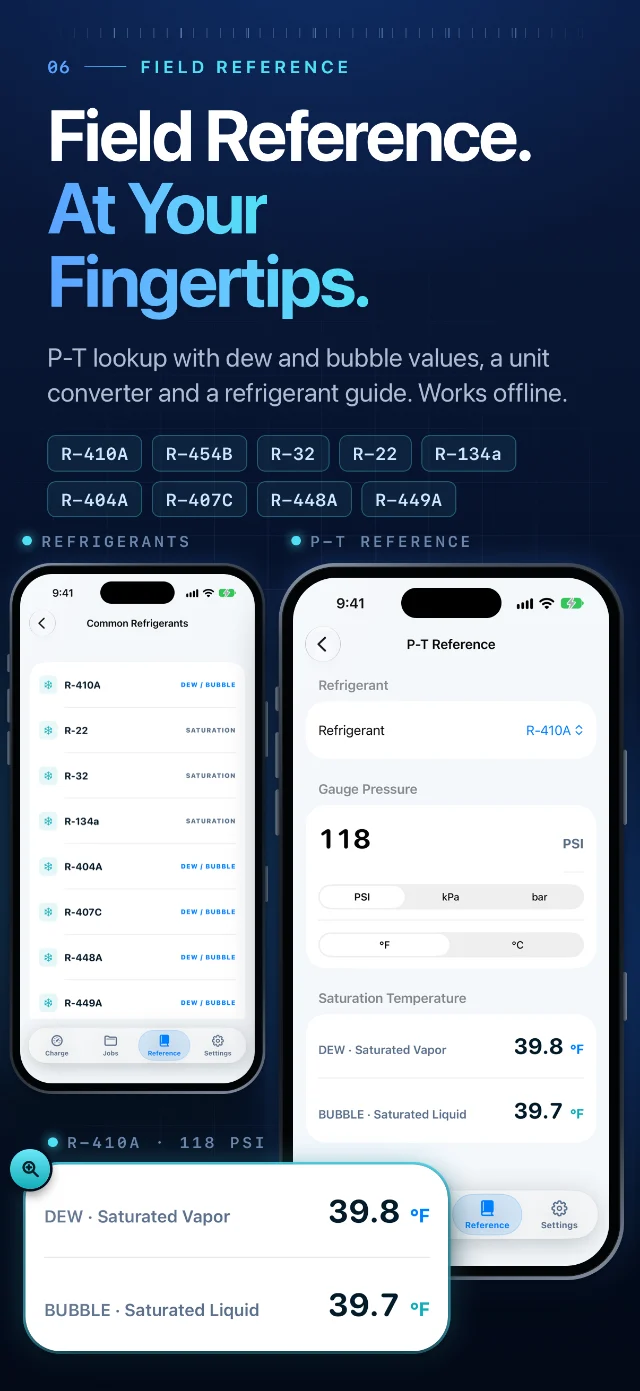
Screens are real captures of HVAC Charge Pro with demonstration data, shown as in the Pro experience. Free includes three successful calculations in total, PDF sharing from those results, the basic P-T reference, the unit converter and the refrigerant list. Pro ($5.99 per month or $49.99 per year in the United States, purchased through Apple) adds unlimited calculations, Saved Jobs, PDF reports from saved job records and Advanced P-T Reference.
The essentials, within reach
A focused toolkit for the moments between checking your instruments and making a service decision.
Calculate superheat and subcooling from your pressure and measured line temperature. Confirm the refrigerant, mode, and units before interpreting the result.
Look up saturation temperature from gauge pressure on an offline refrigerant P-T reference. Pro adds Advanced P-T Reference with two-way lookup, full tables and refrigerant comparison. Cross-check against the equipment manufacturer’s requirements.
Save a calculation with its job details on your device, then recalculate it later. Update the existing job or save the new readings as a new job, and share a professional PDF report.
Made for the service workflow
An iOS utility built around the work, with local calculations and a straightforward path back to your records.
Reference data
Superheat uses the dew point and subcooling uses the bubble point, so blends are read on the correct side of the curve.
Saturation data is bundled in the app and generated with CoolProp 8.0.0. Gauge pressure uses a standard sea-level reference with no altitude correction. Superheat and subcooling are calculated from your readings; the app does not provide target values, so keep the manufacturer’s data handy.
How bubble point and dew point differ ↗Calculations, reference, and job continuity support the same goal: a more organized approach to service work.
Download on the App StoreUnited States prices. Pro is an auto-renewing subscription, purchased and managed through Apple’s in-app purchase system and your Apple Account. There is no free trial. The price and billing period are shown in the app before you buy.
Payment is charged to your Apple Account. Subscriptions renew automatically unless canceled at least 24 hours before the end of the current period. Manage or cancel in your Apple Account settings.
Purchase questions? Contact support ↗$5.99 per month or $49.99 per year (United States)
Field guides
Short references with worked examples, written for technicians.
The formula, where to measure, which saturation temperature to use, and a worked R-410A example.
The formula, which saturation temperature to use, and a worked R-410A example.
Gauge pressure, bubble versus dew, glide on blends, and a short R-410A and R-454B excerpt.
Questions
Yes. HVAC Charge Pro is available for iPhone on the App Store.
Yes for the core workflow. Calculations, the P-T reference, saved jobs and PDF generation run on the device. Purchasing, restoring Pro and opening support or legal links need internet.
No. The app asks for no account and no access to camera, photos, location, contacts or microphone.
Three successful calculations in total. It is a one-time allowance, not a monthly one. Pro unlocks unlimited calculations.
Yes. Free users can share PDFs from their three successful calculation results: after a successful calculation, open Share Result on the Result screen and choose Share PDF Report. Once all three free calculations are used, a new calculation requires Pro. PDFs already saved to Files remain accessible. Saved Jobs, and PDF reports created from saved job records, require Pro.
In the United States, Pro is $5.99 per month or $49.99 per year. It is an auto-renewing subscription purchased and managed through Apple, and there is no free trial. The price and billing period are shown in the app before you buy.
R-22, R-32, R-134a, R-404A, R-407C, R-410A, R-448A, R-449A and R-454B.
No. It calculates the actual value from your readings. Use the manufacturer’s charging chart, data plate or service literature for the target.
No. Pressure data uses a standard sea-level reference and applies no altitude correction.
iPhone with iOS 17 or later.
Engineering comes first
Superheat and subcooling values alone do not determine whether refrigerant should be added or removed.
Verify your instruments, selected units, refrigerant, and entered measurements. Follow equipment manufacturer instructions, approved service procedures, and applicable professional and safety requirements.
Read the Engineering Disclaimer ↗Your next field companion
HVAC Charge Pro by MUEN Apps.
Professional tools. A focused workflow.